Embedded web UI
The pvtx app is a web interface served directly from the device on port 12368. It gives you a browser-based view of the device's revisions, containers, resource usage, configuration, the on-device REST API, and live logs — without the pvr CLI or SSH.
Open a browser and navigate to:
http://<device-ip>:12368/app/
The top navigation has four pages: Home, Stats & Config, API documentation, and Logs.
Home — revision state and transactions
The Home page shows the device's current revision and lets you switch revisions or start a transaction.
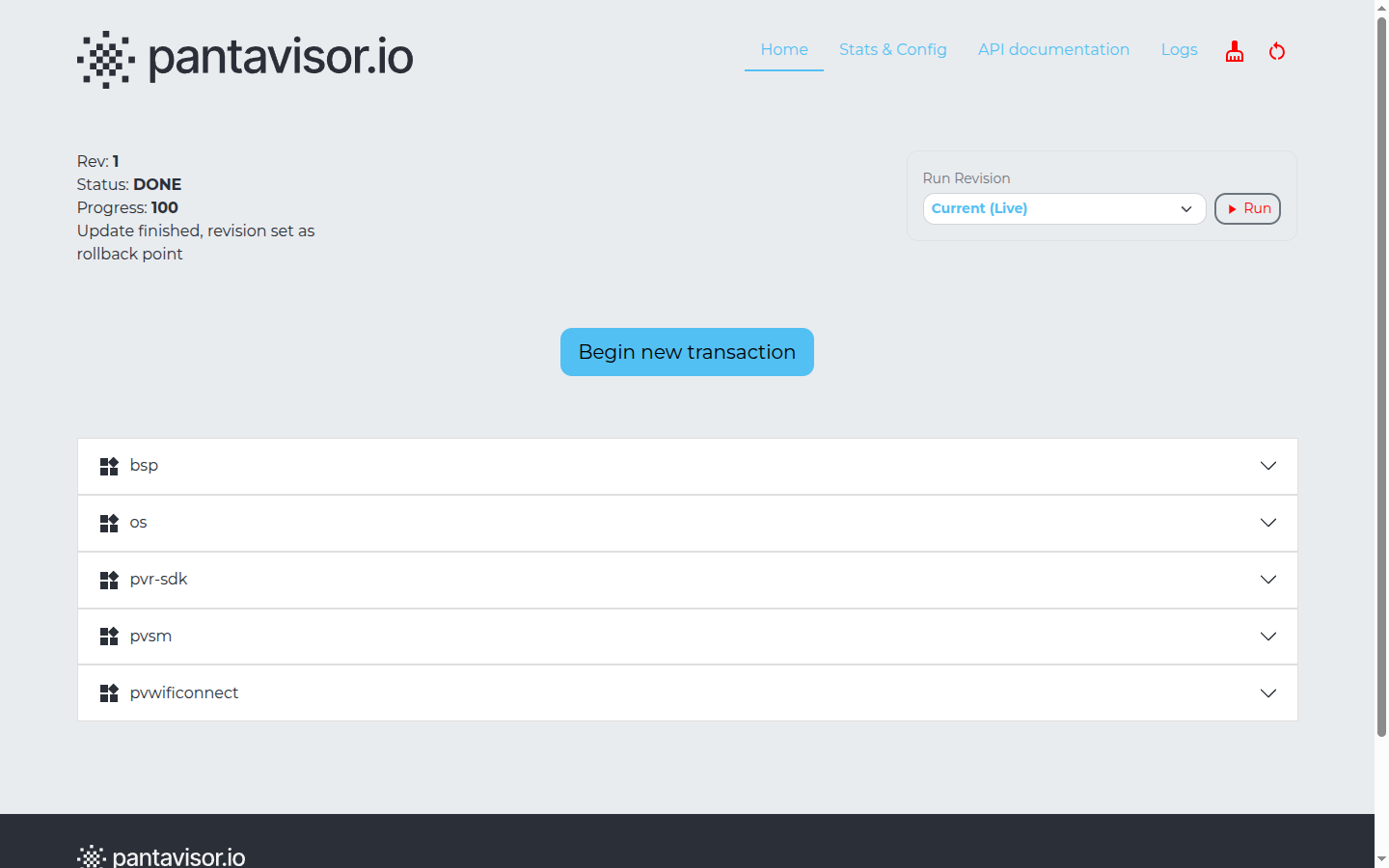
Top-left status block:
- Rev — the current revision number in the device's trail.
- Status —
DONEmeans the current revision is committed and stable. Other states (e.g.TESTING) appear while a revision is being evaluated. - Progress — completion percentage of the current update or boot sequence.
- A status line such as "Update finished, revision set as rollback point".
Run Revision (top-right) — a dropdown to select a revision (Current (Live), Rev 0, Rev 1, …) and a Run button to boot into it.
Begin new transaction — starts a staged update you can apply from a pvexport/.tar.gz package (see API documentation below for the underlying calls).
Containers — each component on the device is an expandable row. On a typical image these include bsp, os, pvr-sdk, pvsm, and application containers such as pvwificonnect.
Stats & Config
The Stats & Config page shows live resource usage, device metadata, and the device configuration.
Device stats

| Field | Description |
|---|---|
| RAM | Used / total memory |
| Swap | Swap space usage |
| Disk usage | Storage partition used / total |
| Reserved | Space reserved by Pantavisor for revision objects |
Device Meta and Device Config
Below the stats are two tables:
- Device Meta — read-only, device-reported values: network interfaces (
interfaces.<iface>.ipv4/ipv6), Pantahub connectivity (pantahub.claimed,pantahub.online,pantahub.state), platform info (pantavisor.arch,pantavisor.dtmodel,pantavisor.version, kerneluname), and storage/sysinfo counters. You can also add your own user-metadata key/value entries here. - Device Config — the active Pantavisor configuration keys (for example
creds.host/creds.port,secureboot.mode,wdt.timeout,updater.interval, log and storage paths).
⚠️ Warning — Sensitive values
Device Meta and Device Config include credentials and identifiers (e.g.
creds.id,creds.prn,creds.secret, and SSHauthorized_keys). Treat this page as sensitive and avoid sharing screenshots of it. (That is why only the resource-stats section is shown above.)
API documentation — the pvtx REST API
The API documentation page documents the on-device PVTX REST API — the same actions available from the pvtx CLI, exposed over HTTP so you can manage the device without any cloud service or Docker container source.
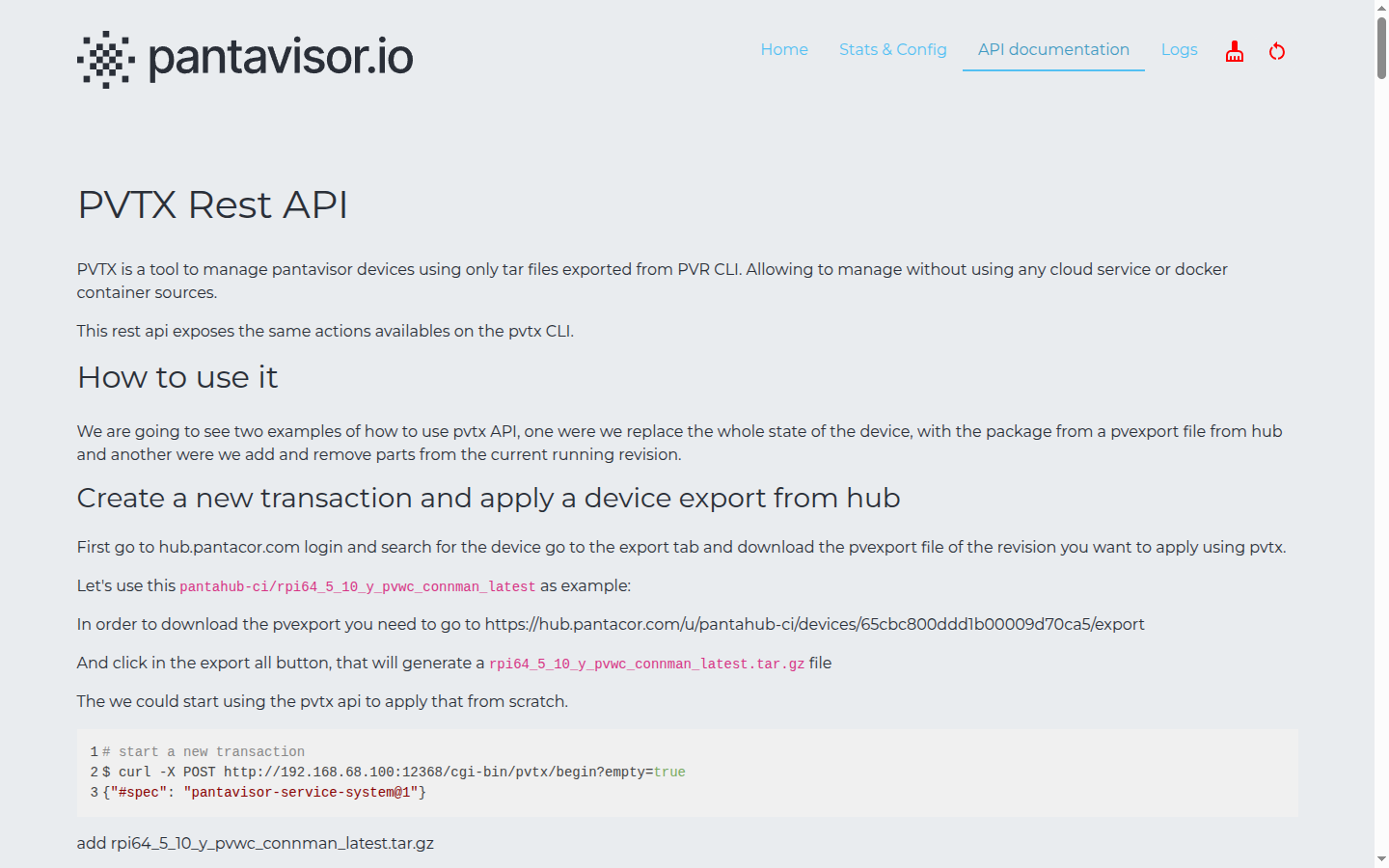
It walks through two workflows with runnable curl examples:
- Replace the whole device state from a
pvexportpackage downloaded from Pantahub. - Add or remove parts of the current running revision.
For example, starting a fresh transaction:
curl -X POST "http://<device-ip>:12368/cgi-bin/pvtx/begin?empty=true"
Logs
The Logs page streams Pantavisor runtime and container logs directly in the browser.
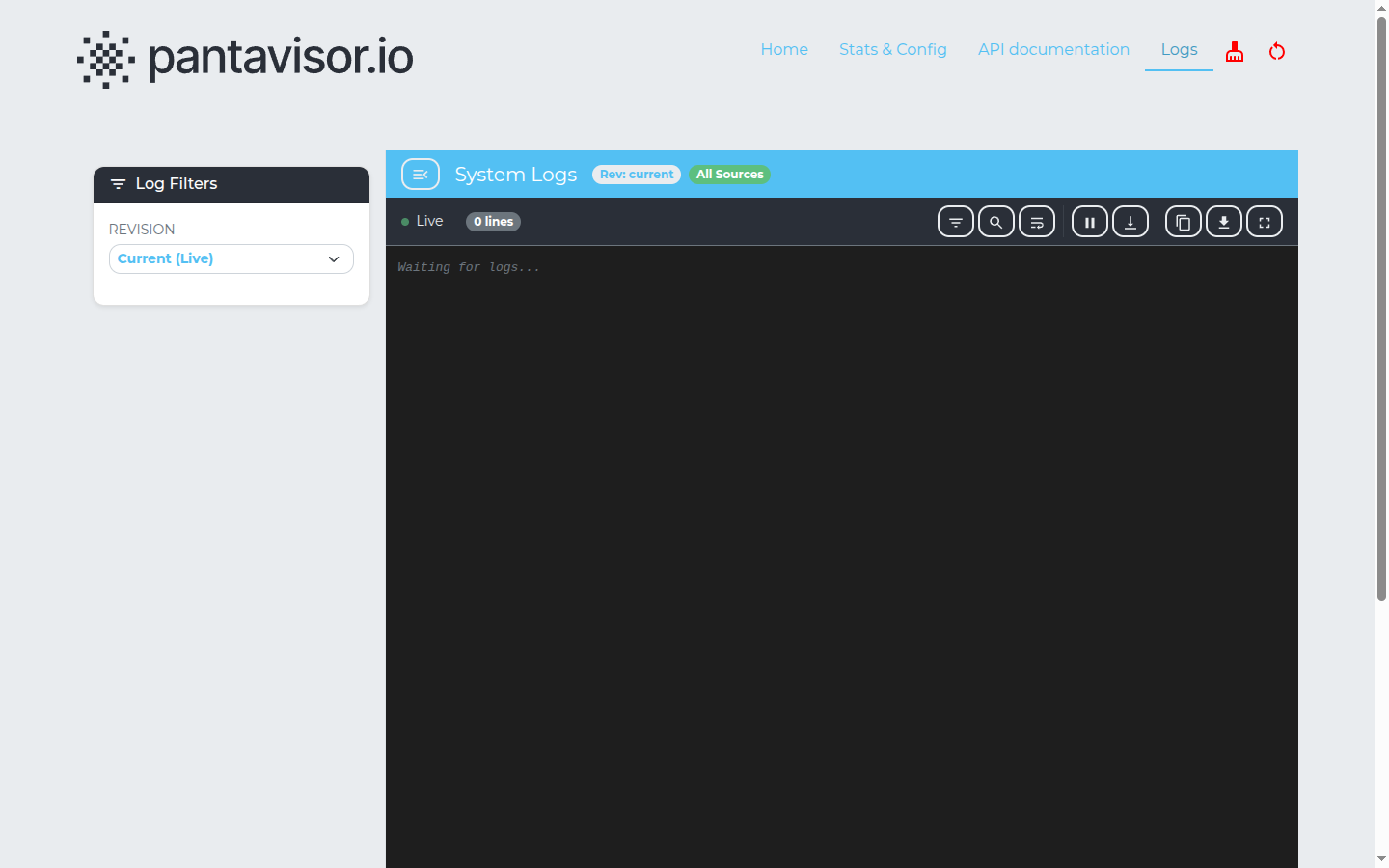
- Log Filters (left) — choose the revision to view logs for (
Current (Live)or a specific revision). - System Logs header — shows the selected revision and source scope (e.g. All Sources), with a Live indicator and line count.
- Toolbar (top-right of the log pane) — filter, search, pause/resume the live stream, download, copy, and full-screen.
This view mirrors the on-device log files under /storage/logs (configurable via the log.dir config key).